Slide into my Google Slides Blog!!
Colleagues, as we strive to promote the use of technology for best practices in administration and classroom management, we must evaluate the software which we are utilising.
Becoming software literate by curating the knowledge of effectively evaluating and assessing software, will better equip us to share and recommend from a position of knowledge.
I have selected Google Slides to evaluate as a Productivity Software.
Description
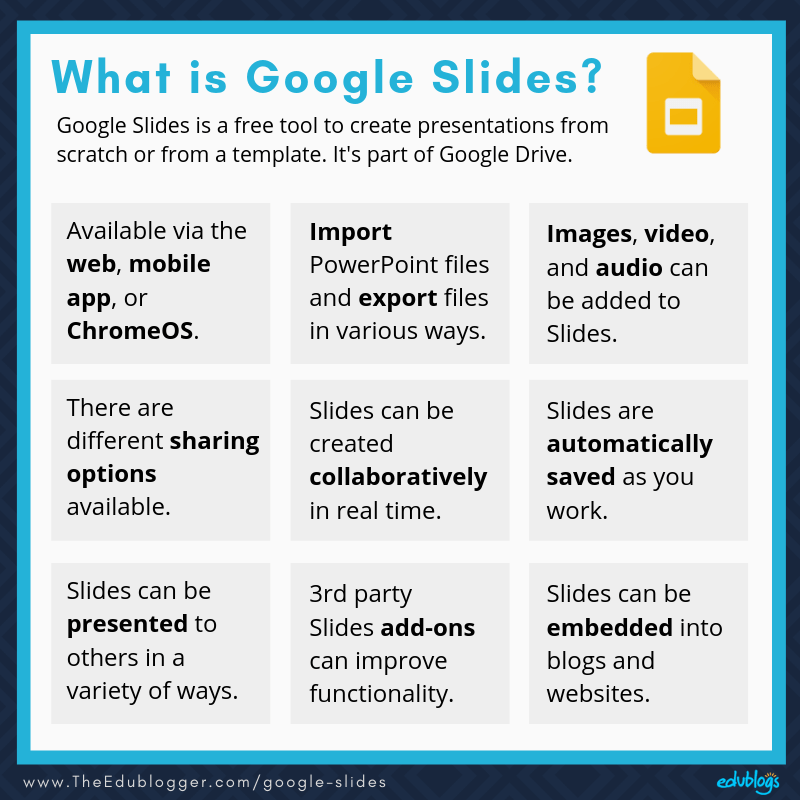
Google Slides is a presentation program included as part of the free, web-based Google Docs suite offered by Google. Google Slides is available as a web application, mobile app for: Android, iOS, and as a desktop application on Google's Chrome OS. The app is compatible with Microsoft PowerPoint file formats.
|
Developer(s) |
Google LLC |
|
Initial release |
March 9, 2006 |
|
Written in |
JavaScript |
|
Operating system |
Android, iOS, ChromeOS, Wear OS |
I invite you to explore this 'Complete Beginner's Guide to Google Slides' video to immerse yourself into the dynamic software.
How Software can be Used
Google Slides can be incorporated into the daily teaching practice in a variety of ways;
Displaying lesson objectives and learning outcomes so students are aware and hopefully inspired to attain those shared objectives. The educator can set the stage for effective learning by creatively displaying lesson objectives and learning outcomes through Google Slides. Through creating visually appealing slides, reflecting the theme but more importantly outlining the significance of the lesson's goals to help students understand the purpose of their work this software supports productivity in this context. The captivating illustrations can help keep students engaged and may assist the message not only to resonate with them but also amplify the connection between learning goals and application of work resulting in that pesky question "What are we doing today?" becoming a distant memory, no longer disrupting the flow of the class.
https://ditchthattextbook.com/8-interactive-google-slides-activities-for-classroom-excitement/
Comments
Post a Comment